Services · hybrid events
Hybrid events.
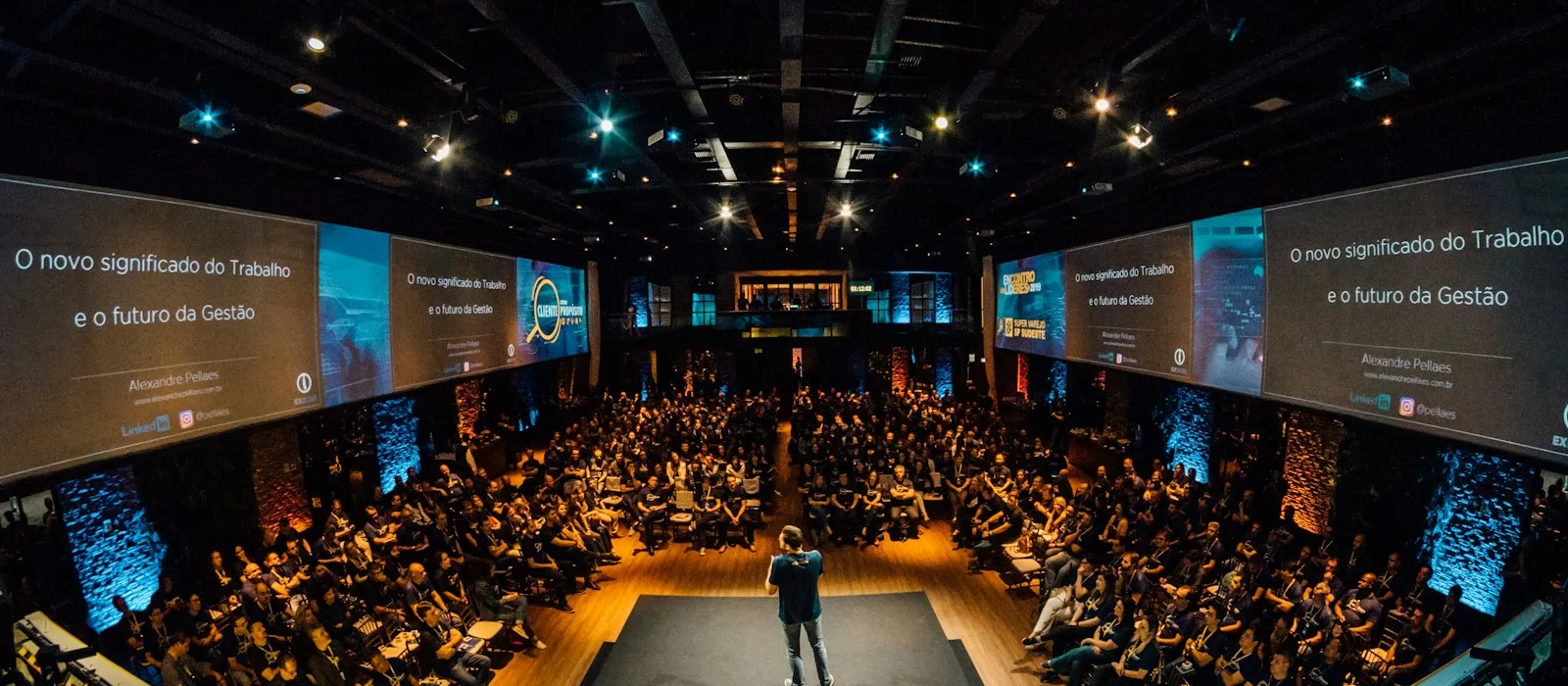
Hybrid event production for conferences, panels, and town halls in Sydney and across Australia. Connect people in the room with remote presenters and attendees through coordinated venue AV, presenter rehearsals, return audio, and moderated Q&A.
What it covers
Capabilities
- Remote keynote speaker integration, full-screen, in-room PA, broadcast-quality video
- Remote panellists joining in-person panels with matched audio and on-screen presence
- Producer talkback to remote presenters during the session (IFB/return feed)
- Pre-event tech rehearsal, lighting, framing, audio level, backup plan
- Pre-recorded video content from remote contributors, timed into the run-of-show
- Remote audience Q&A routed into the live room (Slido, Mentimeter, platform-native)
- Latency management for live conversations between in-room and remote participants
- Connection redundancy, backup dial-in path if a presenter drops
- Multi-language interpretation routing for international participants
- Hybrid breakouts, remote attendees joining specific in-person breakout rooms
Where we deploy
Event types we run this for.
- Corporate conferences with international speakers
- Town halls with remote executive presenters
- Panel discussions with overseas guests
- Customer & user conferences with global presenters
- Training sessions with remote subject-matter experts
- AGMs with remote board members
- Industry awards with remote winners or presenters
- Workshops with remote facilitators
Equipment we spec
Brands we trust in production.
We spec for the room and the brief — not for the rider. Below are the brands you’ll regularly see at the back of a Studio AV truck.
- Zoom
- Microsoft Teams
- Cisco Webex
- NewTek NDI
- Blackmagic Design
- Sennheiser
- Shure
- Slido
- Mentimeter
Inventory rotates with project needs — ask about anything specific.
Hybrid events — FAQ
Common questions on this service.
-
What's the difference between hybrid events and live streaming?
Live streaming broadcasts your event out to a remote audience, one-way, room to viewer. Hybrid events bring remote participants IN to your live event, remote keynote speakers on the main screen, remote panellists joining the panel, remote audience questions coming back into the room. The two often run together (an event streamed to a viewing audience AND with a remote presenter dialled in), but the disciplines are different. Hybrid is about integration; streaming is about broadcast. -
How do you make a remote presenter feel like they're in the room?
Full-screen presentation on the main stage display (not a corner thumbnail), broadcast-quality video routing through the switcher (not 'Zoom shared from a laptop'), their audio mixed into the room PA at the same level as in-room speakers, and a producer in their ear during the session. We do a 30-minute tech rehearsal beforehand to set their framing, lighting, audio levels, and run the backup plan. The audience treats them as the speaker, not the technology. -
What if the remote presenter's connection drops?
We pre-arrange backup paths. Primary connection is usually their preferred platform (Zoom, Teams) over high-quality internet. Backup is a phone-in audio bridge with a still image of the speaker on screen, or a pre-recorded fallback if the brief is critical. We also schedule a connection check 30 minutes before they're on, so if there's a problem we catch it before the audience sees it. -
How do you manage latency between in-room and remote participants?
Latency in remote video calls is typically 200–800ms each way. For prepared keynote speakers it's not a problem, they talk, the room listens. For interactive panels and Q&A it becomes noticeable. We use lower-latency protocols where the platform supports them, brief the in-room moderator on conversational pacing (small pauses to let the remote person come in), and for very latency-sensitive applications we can use dedicated low-latency video links instead of consumer platforms. -
Can you bring remote audience questions back into the live event?
Yes. Best practice is to route both in-room and online audience questions through the same chat tool (Slido, Mentimeter). In-room attendees scan a QR and submit through the same channel as online, the moderator pulls from one queue, weighted however the run-of-show dictates. This makes the remote audience first-class instead of an afterthought, and avoids the awkward 'okay, we have time for one online question'. -
Can the remote presenter hear what's happening in the room?
Yes. We provide a return feed so the presenter can hear the moderator, other speakers, and relevant room audio in their headphones. Their own outgoing voice is excluded from the return feed to avoid a distracting delayed echo. Where the platform supports it, the producer can also give private cues. We check this routing during the rehearsal. -
What platforms do you support for remote presenters?
Common options include Zoom, Microsoft Teams, Cisco Webex, and Google Meet. We confirm the platform, account permissions, audio routing, and presenter workflow during pre-production. The choice depends on your organisation's requirements, each presenter's location, and how the in-room and online audiences will participate. -
What should we include in a hybrid event brief?
Include the date, venue, audience size in the room and online, number of remote speakers, and your preferred platform. Tell us whether remote attendees need to ask questions, join breakout sessions, or watch only, and whether you need captions and recordings. A draft agenda helps us plan rehearsals, crew, and the connections between the room and the broadcast. -
Can you integrate hybrid components into a live-streamed event?
Yes, this is standard. The live stream broadcasts the event out (handled by our Live streaming service), the hybrid integration brings remote participants in. Both run in parallel: remote keynote dialled in for the in-room audience, the whole event streamed out to a separate remote viewing audience. We scope both as part of the production proposal.
Get a proposal
Tell us about your event.
We’ll be in touch within two business days to discuss your event.